Ask what matters. Keep the answer connected to care.
A score is a starting point. PulseMD brings patient-reported experience and outcomes together with the questions asked, the person answering and the team's next step.

Hear how care feels. See how people are doing. Act while it matters.
Bring patient-reported experience measures (PREMs) and outcome measures (PROMs) into the care journey. Schedule the right questions, review responses as they arrive and follow change over time.
PREMs: the experience of care
Understand communication, involvement and the experience of your service through agreed experience measures.
PROMs: health and quality of life
Use appropriate outcome measures to understand symptoms, function and reported wellbeing at agreed timepoints.
Care management: the next step
Bring responses into the team’s review workflow, with responsibility, contact history and follow-up visible.
Measurement that stays connected to the person.
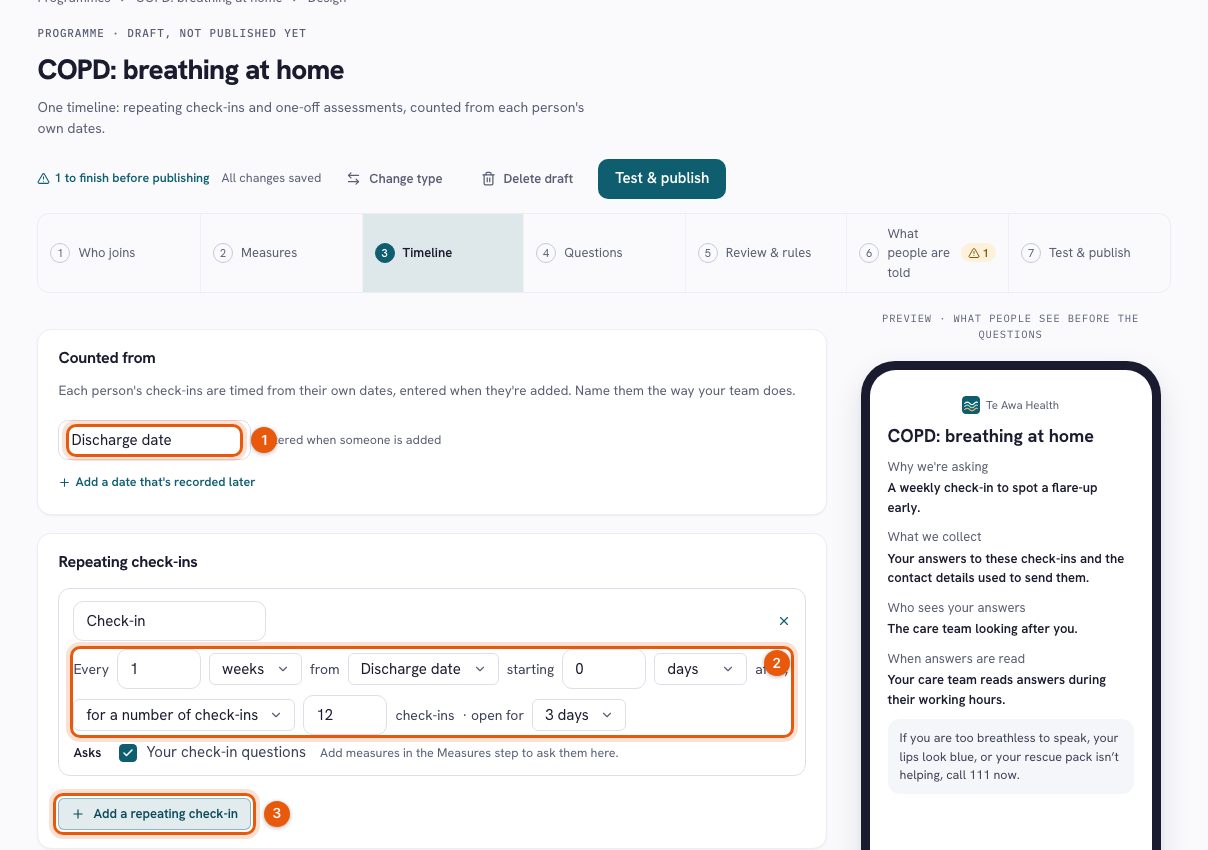
- Ask at the right moment. Set repeating check-ins and assessments around dates such as discharge, with baseline and follow-up timepoints.
- Keep up as answers arrive. Review incoming responses and configured review-rule flags in the care workflow, within your team’s agreed coverage.
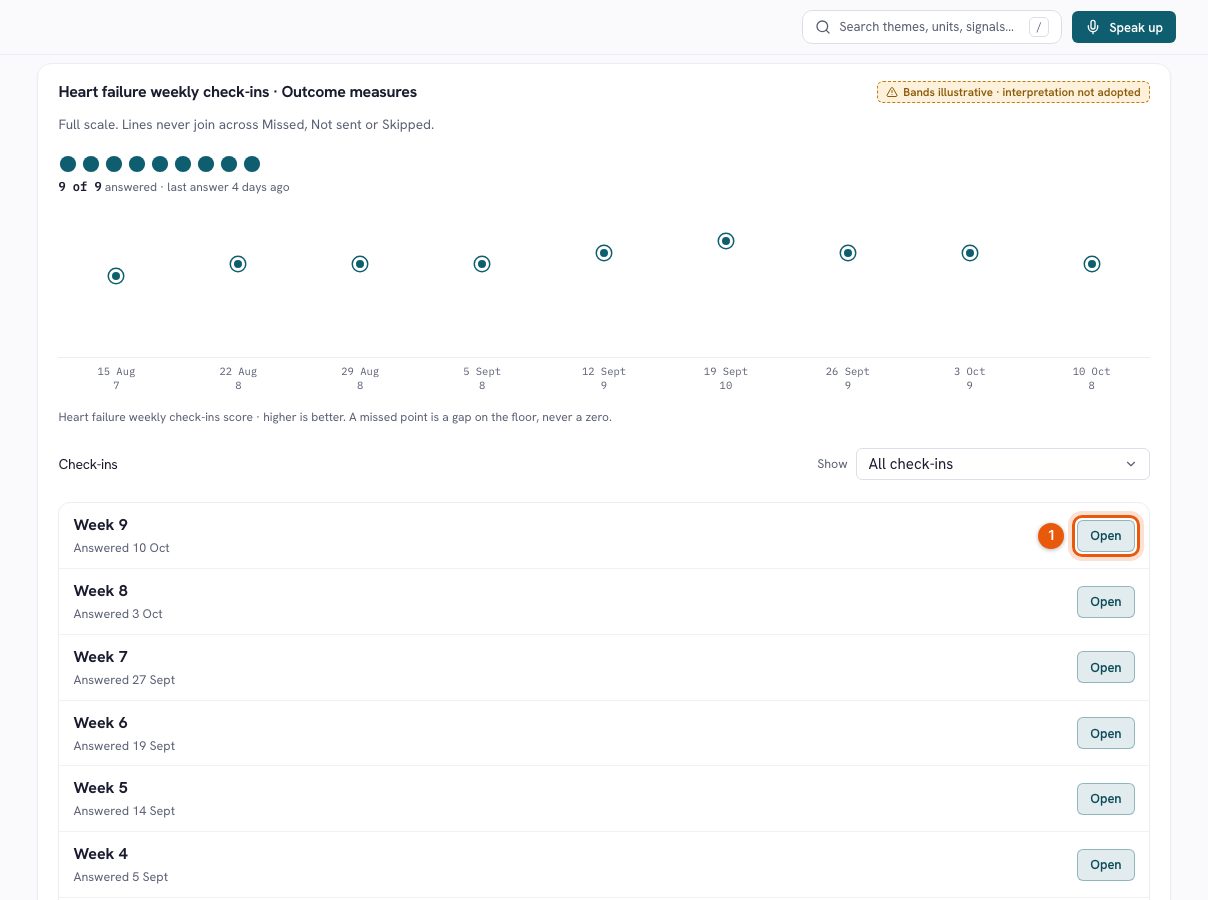
- See change, and see what is missing. Follow score histories and open the original answers. Missed check-ins stay visible rather than appearing as zero scores.
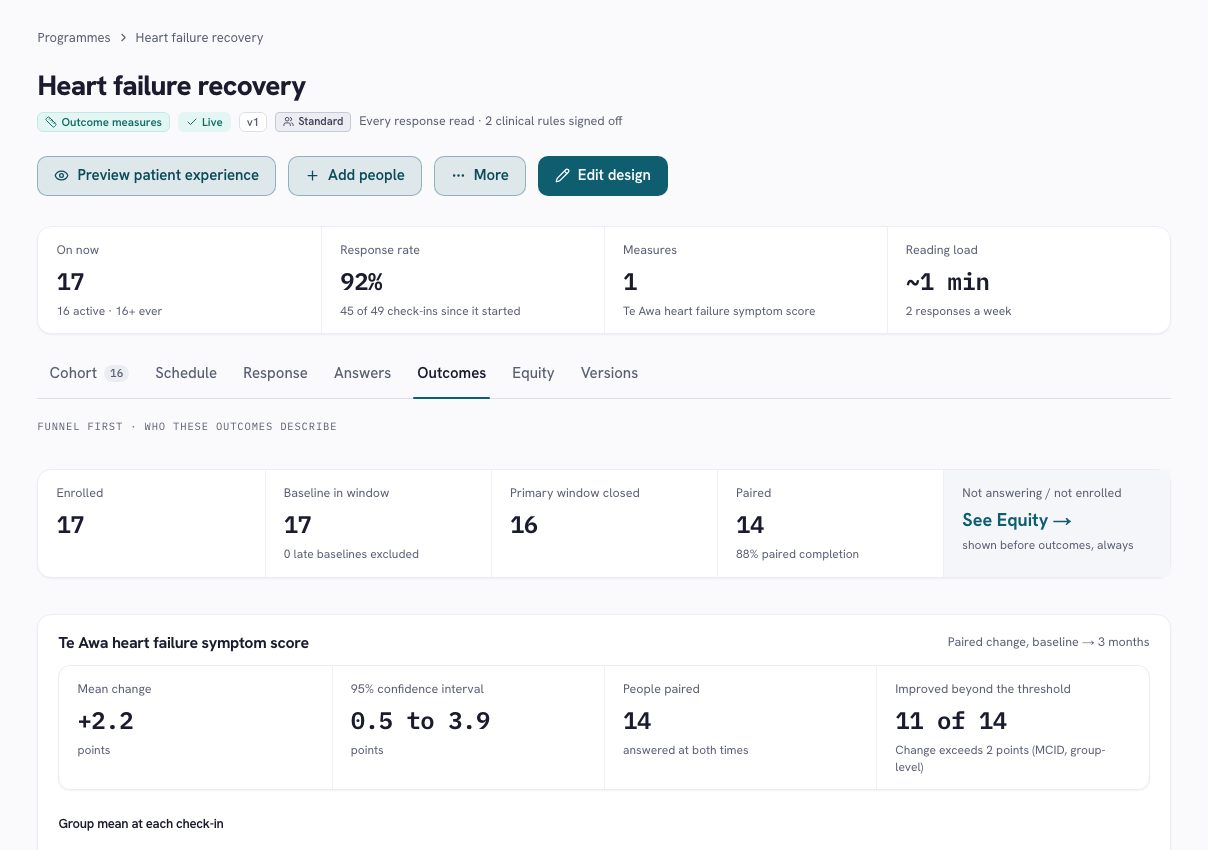
- Understand programme results. Compare eligible paired responses and keep participation and missing data alongside the outcome.
Real-time visibility of submitted information supports team review; it does not promise continuous observation or an immediate clinical response. Measures require the appropriate permissions, scoring and service approval.
Read the film transcript
A care programme needs more than a set of questions. It needs a purpose, a schedule, people who will review the answers, and a clear account of what its results mean. This walkthrough uses Te Awa Health’s fictional heart failure recovery programme. Its symptom score and results are illustrative, not a claim about a validated clinical measure or customer outcomes. The programme page brings participation and current work together. People remain on the version they joined. A published version can be in use while changes are being prepared in a draft. The cohort shows check-in history and any reason for attention, linking the programme design to the team’s everyday work. Open the existing draft to see the design steps. The programme begins with a template, then covers who joins, anchors and timepoints, measures, review rules, messages and review hours. The participant preview sits alongside the configuration. That lets the team connect each design decision with what a person will actually see. The published schedule uses discharge as its anchor. It asks at discharge, six weeks, three months and six months. Each point has an answer window, and the primary comparison is identified. The table shows which measure, heartbeat and custom questions are included, together with the expected effort. Timing is part of the meaning of the result, not just a reminder setting. Review and rules define how the team handles responses. Here the mode is every response read. The configured rules include a request for contact, breathlessness at night, and a change in the symptom score. Clinical rules show a named approver and a review date. An operational rule covers repeated closed windows without an answer. These rules create work for people; they do not replace clinical judgement. Review hours and routing belong to the care team. The programme’s participant wording explains who reads answers, while urgent-help information remains visible. A service needs a workable review commitment, including what happens outside those hours. The software makes that arrangement explicit, rather than implying that an online answer is monitored continuously. Before reading outcomes, look at response. The table separates answered, missed, not sent and skipped check-ins. In this example, the six-week and three-month windows each have fourteen answers from sixteen closed windows. A skipped check-in is excluded from the rate. A check-in that was never sent is a team-side gap, rather than a failure attributed to the person. The outcomes view starts with the funnel. Seventeen people have an in-window baseline, sixteen have reached a closed primary window, and fourteen have a paired result. That is the group the comparison describes. The chart keeps the full score scale and shows separate timepoint groups. It does not draw a continuous line that implies every point contains exactly the same people. The paired comparison shows a mean change and an uncertainty interval. The page also warns that people who answer at follow-up may differ from those who do not, and that these figures are not adjusted for case mix. Small groups are suppressed. In this demo, the numbers illustrate how a result is presented; they do not establish that the service caused a clinical benefit. Return to the cohort and the design has a practical purpose. Questions arrive at meaningful points, review arrangements are visible, and the team can see outstanding follow-up alongside participation. A programme can be refined without silently rewriting the version that existing people joined. PulseMD brings programme design, everyday response and measurement into one connected workflow. The value is a clearer account of what was asked, who was heard, what the team did, and what the resulting evidence can support.
PREMs and PROMs answer different questions.
Use them together when you need to understand both the experience of receiving care and how people report their health over time.
PREMs: how was the care?
Patient-reported experience measures explore what people experienced: whether communication was clear, whether they felt involved and how care was coordinated. Their own words add context to structured answers.
PROMs: how is the person doing?
Patient-reported outcome measures explore health from the person's perspective, including symptoms, function and quality of life. Repeated measures help a team understand reported change at agreed points in a care journey.
A workable programme, from invitation to review.
Start with a purpose
Agree who the programme serves, what the questions will help the team understand and how the answers will be used. Choose the appropriate measure, edition, permissions and scoring before publication.
Make participation understandable
Explain who reads answers, the review hours, how to ask for contact and where to get urgent help. Keep the patient's own answers distinct from supported or authorised responses.
Ask at meaningful timepoints
Plan baseline and follow-up around the care journey. Preview the participant experience and consider the effort involved before inviting people to take part.
Review the answers and the gaps
See response history, missed check-ins and follow-up work. Read original answers alongside scores and keep responsibility for the next step visible.
Interpret results with care
Look at participation and eligible paired responses before interpreting change. People who answer at follow-up may differ from those who do not; a change in scores does not establish that the service caused it.
Learn without losing the record
Keep programme versions and review arrangements clear as the service learns. Use findings to inform the next conversation, the next follow-up and the next improvement.
Patient and whānau voice, connected to everyday care
Make room for what patients and whānau experience across hospital, community and aged residential care. Keep the person's voice and the support around them clear.
- 01
Agree with your service how patients and whānau can contribute, including support with participation.
- 02
Keep a person's own answers distinct from authorised responses and a supporter's own experience.
- 03
Define New Zealand hosting, access and review arrangements with the people accountable for the service.
Questions before you start.
Can we use our existing questionnaires?
We review your instruments, editions, permissions, scoring and programme requirements with you. The appropriate rights and service approval are established before a measure is used.
Does real-time visibility mean continuous clinical monitoring?
Responses become available for review as they arrive. Your service defines review hours, responsible staff and response arrangements. Participants receive clear urgent-help instructions.
Are identifiable responses part of public feedback?
Private Care stays private. Identifiable responses and scores remain within authorised care workflows, separate from public feedback themes and service updates.
How do PREMs and PROMs relate to open feedback?
Structured questions support a defined comparison. Patient and family voice adds the detail of lived experience. Use the appropriate participation and access arrangements for each, and interpret each source in context.
Make measurement useful to the people doing the caring.
Bring your cohort, your questions and your team's review arrangements. We'll walk through a programme that fits the work.
A relevant walkthrough. A practical conversation. No pilot commitment. · Explore the Trust Center